


Wireless Audio
Enjoy phone audio through an AUX-equipped car stereo or compatible speaker system.


Wireless audio for AUX-equipped cars
Stream music and take hands-free calls through your existing car stereo—without replacing the head unit.

Keep the stereo you already have
Plug the receiver into a 3.5mm AUX input, connect USB power, then pair your phone. Your favorite playlists, podcasts and navigation audio can play through the existing speakers.
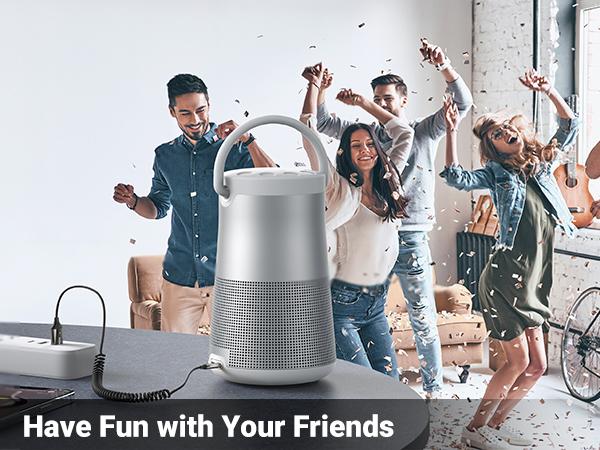
Enjoy phone audio through an AUX-equipped car stereo or compatible speaker system.
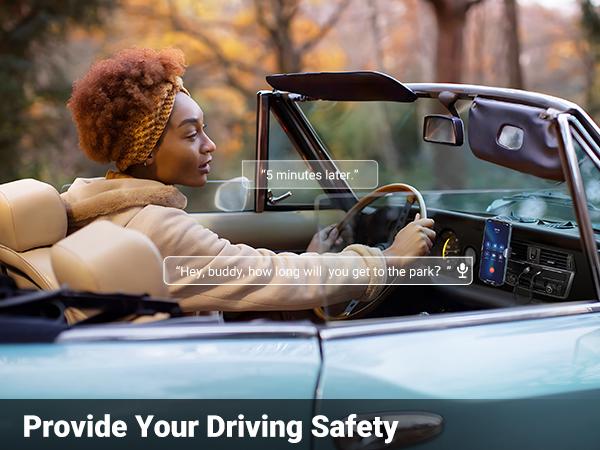
The built-in microphone supports convenient short-range voice use while driving.
Pair with two phones and switch between them. Only one device plays audio at a time.


Simple everyday convenience
A compact solution for vehicles and audio systems that have AUX input but no built-in Bluetooth connectivity.


Plug, pair, play
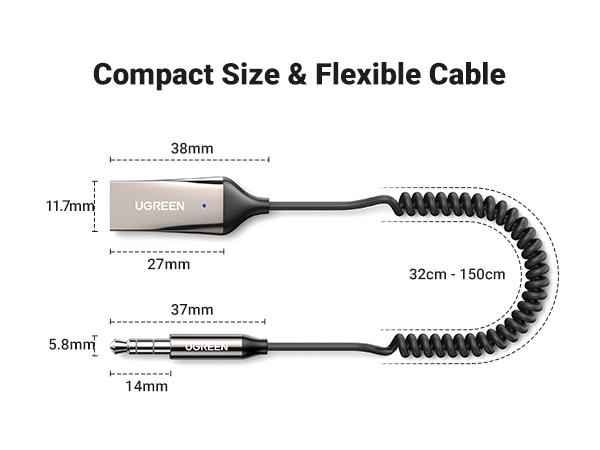
Insert the 3.5mm audio plug into your car or speaker system’s AUX input.
Plug the USB-A connector into a 5V USB port or compatible car USB adapter.
Enable Bluetooth, select the receiver and begin playing audio.


Product details
| Product Type | Wireless Bluetooth AUX receiver |
|---|---|
| Bluetooth Version | Bluetooth 6.0 |
| Audio Connection | 3.5mm AUX |
| Power Connection | USB-A, 5V power source |
| Microphone | Built-in; intended for short-range vehicle use |
| Device Pairing | Up to two phones; one audio stream at a time |
| Suitable For | Cars and speaker systems equipped with a 3.5mm AUX input |
Helpful setup information
Review these tips for reliable setup and everyday use.
Enable Bluetooth on your phone and confirm the receiver is in pairing mode. A blue light flashing twice per second indicates pairing mode. If it flashes once every 10 seconds, the receiver may already be connected to the last paired phone. Turn off Bluetooth on the previous phone before pairing a new one.
USB provides power only. The 3.5mm AUX cable carries audio. Connect both USB and AUX or no sound will play.
The built-in microphone is designed for short-range use inside a vehicle. Call clarity can be affected by road noise, open windows or distance from the receiver.
Two phones can be paired, but only one can play audio at a time. Switching devices interrupts current playback. Disconnect the first phone before pairing the second when needed.
Keep the receiver away from strong magnets, amplifiers and strong electromagnetic fields to support stable performance.
Confirm the AUX plug is fully inserted and that the jack is clean. Also make sure the phone and stereo are not muted. Reset the receiver if the issue continues.
Use a vehicle USB port or a reliable 5V USB adapter. Avoid damaged or uncertified chargers that may cause unstable power or excess heat.


Bring wireless music and convenient hands-free calling to the car stereo you already own.
Please confirm your vehicle has both a 3.5mm AUX input and a USB power source before ordering.
Wireless audio for AUX-equipped cars
Stream music and take hands-free calls through your existing car stereo—without replacing the head unit.
Keep the stereo you already have
Plug the receiver into a 3.5mm AUX input, connect USB power, then pair your phone. Your favorite playlists, podcasts and navigation audio can play through the existing speakers.
Enjoy phone audio through an AUX-equipped car stereo or compatible speaker system.
The built-in microphone supports convenient short-range voice use while driving.
Pair with two phones and switch between them. Only one device plays audio at a time.
Simple everyday convenience
A compact solution for vehicles and audio systems that have AUX input but no built-in Bluetooth connectivity.
Plug, pair, play
Insert the 3.5mm audio plug into your car or speaker system’s AUX input.
Plug the USB-A connector into a 5V USB port or compatible car USB adapter.
Enable Bluetooth, select the receiver and begin playing audio.
Product details
| Product Type | Wireless Bluetooth AUX receiver |
|---|---|
| Bluetooth Version | Bluetooth 6.0 |
| Audio Connection | 3.5mm AUX |
| Power Connection | USB-A, 5V power source |
| Microphone | Built-in; intended for short-range vehicle use |
| Device Pairing | Up to two phones; one audio stream at a time |
| Suitable For | Cars and speaker systems equipped with a 3.5mm AUX input |
Helpful setup information
Review these tips for reliable setup and everyday use.
Enable Bluetooth on your phone and confirm the receiver is in pairing mode. A blue light flashing twice per second indicates pairing mode. If it flashes once every 10 seconds, the receiver may already be connected to the last paired phone. Turn off Bluetooth on the previous phone before pairing a new one.
USB provides power only. The 3.5mm AUX cable carries audio. Connect both USB and AUX or no sound will play.
The built-in microphone is designed for short-range use inside a vehicle. Call clarity can be affected by road noise, open windows or distance from the receiver.
Two phones can be paired, but only one can play audio at a time. Switching devices interrupts current playback. Disconnect the first phone before pairing the second when needed.
Keep the receiver away from strong magnets, amplifiers and strong electromagnetic fields to support stable performance.
Confirm the AUX plug is fully inserted and that the jack is clean. Also make sure the phone and stereo are not muted. Reset the receiver if the issue continues.
Use a vehicle USB port or a reliable 5V USB adapter. Avoid damaged or uncertified chargers that may cause unstable power or excess heat.
Bring wireless music and convenient hands-free calling to the car stereo you already own.
Please confirm your vehicle has both a 3.5mm AUX input and a USB power source before ordering.


Thanks for subscribing!
This email has been registered!


